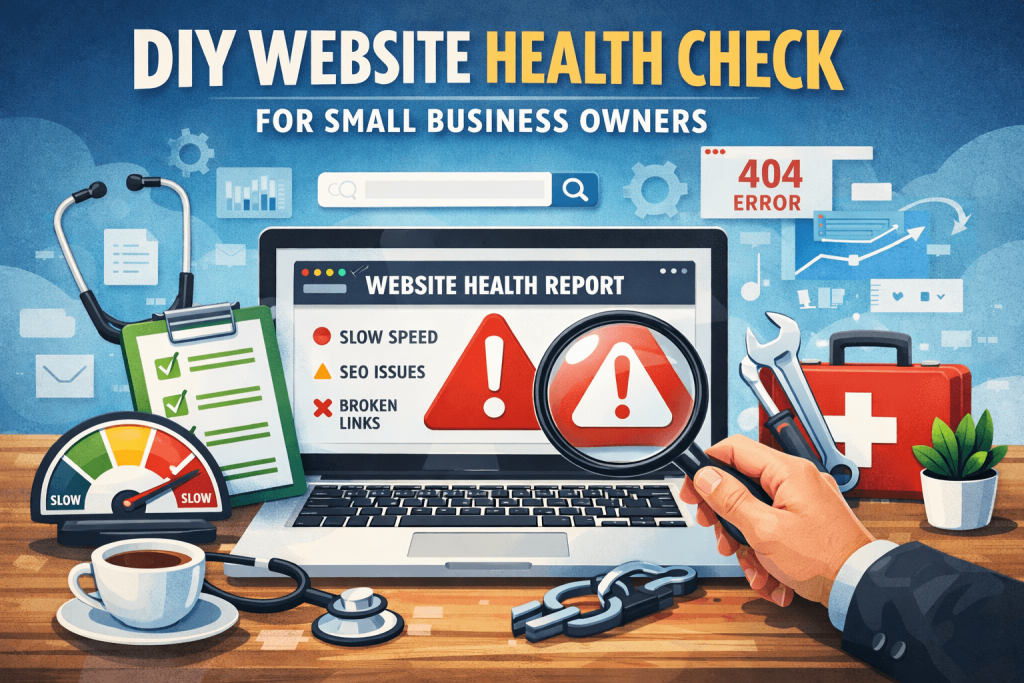
Simple performance + SEO + security tests you can do in 30 minutes
You don’t need to be a developer to spot most website problems. With a few free tools, you can quickly test your site’s speed, mobile usability, SEO basics, and security—and catch issues before they cost you leads or sales.
This guide is a practical, step-by-step DIY “website health check” you can do anytime (especially before running ads, launching a new page, or after updating WordPress/Shopify apps).
What you’ll need (free tools)
- Google PageSpeed Insights (performance + Core Web Vitals)
- GTmetrix (speed waterfall + load details)
- Google Mobile-Friendly Test / Search Console (mobile + indexing)
- Security check (browser padlock/SSL + basic scan)
- A quick form test (contact form / checkout)
You can do this without logging into your website—except for a couple of optional checks.
Step 1: Test your website speed (the #1 DIY check)
A) Run PageSpeed Insights
- Go to Google PageSpeed Insights
- Paste your homepage URL
- Test mobile first, then desktop
What to look for:
- Performance score: aim for 70+ (90+ is great but not always necessary)
- Core Web Vitals:
- LCP (Largest Contentful Paint)
- INP (Interaction to Next Paint)
- CLS (Cumulative Layout Shift)
Common small-business problems:
- Huge images (especially hero banners)
- Too many apps/plugins
- Heavy sliders/animations
- No caching or poor hosting
✅ DIY fix you can try today:
Compress images (WebP), remove unused plugins/apps, and avoid autoplay sliders.
B) Run GTmetrix (for a deeper speed clue)
GTmetrix shows you what loads first and what slows everything down.
What to look for:
- “Fully Loaded Time” (try to keep it under ~3–4 seconds)
- Total page size (under ~2–3 MB is a good target for many small sites)
- Waterfall chart: large files and slow third-party scripts
✅ DIY fix you can try today:
If one file is massive (often an image), replace it or compress it.
Step 2: Test mobile usability (quick reality check)
Open your site on your phone and check:
- Is the text readable without zooming?
- Are buttons easy to tap (not tiny/too close)?
- Does the menu work smoothly?
- Do images and sections stack nicely?
Red flags:
- Popups blocking content
- Sticky headers taking too much space
- Layout shifts while loading
✅ DIY fix you can try today:
Disable popups on mobile or delay them; reduce header height.
Step 3: Test your SEO basics (no jargon)
A) Check if your pages are indexed
In Google, type:
site:yourdomain.com
If you see only a few pages (or none), indexing might be an issue.
✅ DIY fix you can try today:
Make sure your site isn’t set to “noindex,” and submit your sitemap in Google Search Console.
B) Check your titles + meta descriptions (fast scan)
Pick 5 key pages (Home, Services, About, Contact, one main service page):
- Does each page have a clear title that includes what you do + location (if local)?
- Do descriptions look human and clickable?
Example title format:
“Website Maintenance in Montreal | 24Web”
✅ DIY fix you can try today:
Rewrite titles for clarity. One page = one main topic.
Step 4: Test contact forms and checkout (this is where money leaks)
A) Contact form test (must-do)
- Submit a test lead from your phone
- Confirm it arrives to the correct email
- Confirm the “thank you” message/page shows
Also check your spam folder and make sure emails aren’t failing silently.
✅ DIY fix you can try today:
If forms don’t deliver consistently, you likely need SMTP (WordPress) or email deliverability fixes (domain DNS, SPF/DKIM, etc.).
B) E-commerce quick test (if you sell online)
- Add product to cart
- Go to checkout
- Confirm shipping rates appear correctly
- Confirm payment options appear
- Confirm order confirmation emails send
✅ DIY fix you can try today:
If checkout behaves strangely, check for app conflicts, caching issues, or translation/multi-currency settings.
Step 5: Quick security & trust check (simple but important)
A) SSL check
Look for the padlock in the browser. Click it:
- Connection should be secure
- Certificate should be valid and match your domain
B) Basic trust check
- Is your footer updated (copyright year)?
- Do your policies exist (privacy, refunds if e-commerce)?
- Is your business contact info easy to find?
✅ DIY fix you can try today:
Update policies and ensure your site doesn’t show mixed content warnings.
Step 6: “Hidden” problems you can still spot
A) Broken links (easy win)
Use a broken link checker tool (or an SEO plugin feature) and scan:
- service pages
- blog posts
- menu links
✅ DIY fix you can try today:
Redirect or update broken URLs.
B) Visual consistency check
On 3 browsers (Chrome, Safari, mobile):
- fonts consistent?
- spacing weird?
- buttons styled differently?
✅ DIY fix you can try today:
Standardize button styles and headings in your theme settings.
A simple scorecard (rate your site out of 10)
Give yourself 1 point each:
- Mobile PageSpeed score 70+
- Desktop PageSpeed score 80+
- No major layout shift on mobile
- Forms deliver correctly
- Site is indexed (site:yourdomain.com shows pages)
- Titles are clear on top pages
- SSL is valid (padlock)
- No obvious broken links in menu/footer
- Website loads in under ~4 seconds on mobile data
- Contact info is easy to find
0–4: urgent fixes recommended
5–7: decent, but you’re likely losing some leads
8–10: solid foundation
When to stop DIY and call a pro
DIY is great for detecting problems. Call a webmaster when:
- speed tests show “reduce JavaScript” and you don’t know what to remove
- updates break layouts/plugins/apps
- emails fail (forms/WooCommerce orders)
- you need technical SEO fixes (indexing, redirects, schema, Core Web Vitals)