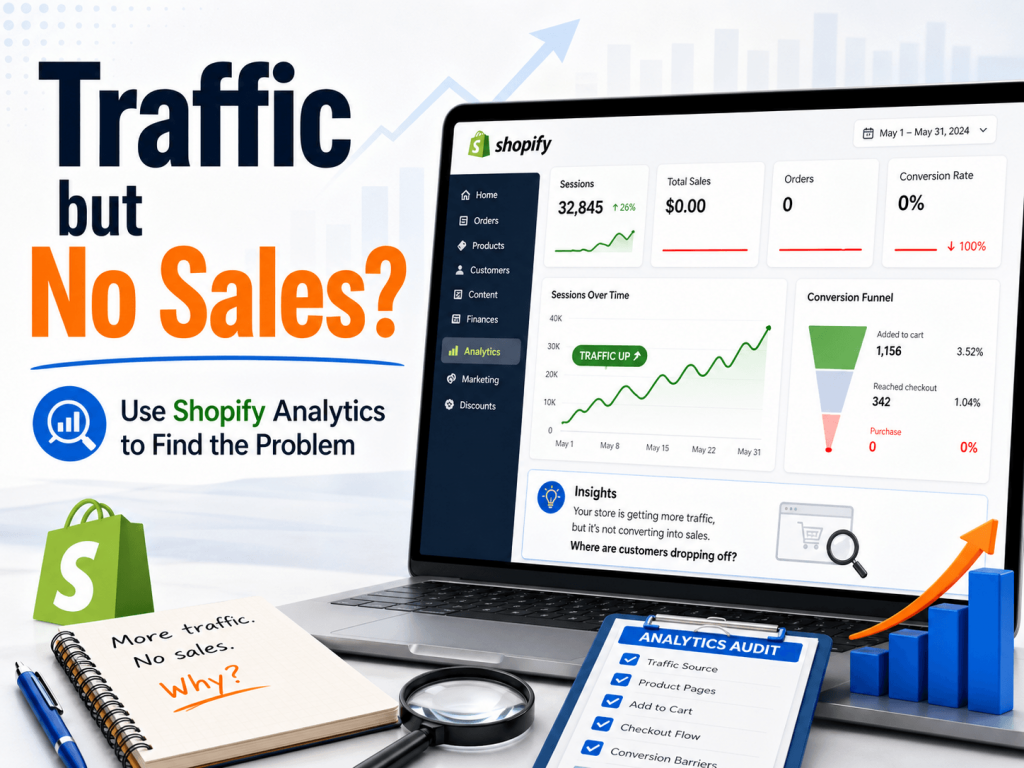
Getting traffic to your Shopify store is a good sign. It means people are finding your website, clicking your links, visiting from Google, social media, ads, email, or direct search.
But traffic alone does not pay the bills.
If people are visiting your Shopify store but not placing orders, the next step is not to guess. The next step is to look at your Shopify Analytics and find where the problem may be happening.
Shopify’s native Analytics page shows sales, orders, and online store visitor data, and it can help store owners understand how their store is performing across different sales channels and time periods.
First: Traffic Is Only the Starting Point
Many store owners focus too much on the number of visitors.
More visitors can help, but only if the store is ready to convert them into buyers. If your Shopify store gets traffic but no sales, the issue may be one of these:
- The wrong people are visiting your store
- Product pages are not convincing enough
- Prices, shipping, or delivery details are unclear
- The cart or checkout process creates hesitation
- The website is slow or difficult to use on mobile
- Customers do not trust the store enough to complete the order
Shopify Analytics can help you narrow this down.
1. Check Your Conversion Rate
Your conversion rate shows how many visitors actually complete a purchase.
For example, if 1,000 people visit your store and 10 people buy, your conversion rate is 1%.
A low conversion rate does not always mean your store is bad. It means there may be friction somewhere between the visit and the purchase.
In Shopify, store owners can review conversion-related reports, including conversion rate over time, inside Shopify Analytics reports. Shopify even uses this exact situation as an example: a store getting many visits but not enough sales.
Look at your conversion rate over different periods:
- Last 7 days
- Last 30 days
- Last 90 days
- Same period last year, if available
If traffic increased but the conversion rate dropped, your visitors may not be finding what they expected.
2. Look at Where Your Traffic Comes From
Not all traffic has the same value.
A person searching on Google for “gift basket delivery in Montreal” may be much closer to buying than someone casually clicking from a random social media post.
In Shopify Analytics, you can review traffic sources and referrer information to understand where visitors are coming from. Shopify’s analytics fields include referrer source, referrer type, and UTM campaign information, which can help compare traffic from sources like Google, Facebook, email, or campaigns.
Ask yourself:
- Is most traffic coming from social media but not converting?
- Are paid ads bringing visitors but no orders?
- Are Google visitors performing better than Facebook visitors?
- Are email visitors more likely to buy?
- Are campaign links properly tagged with UTM tracking?
This helps you understand whether the issue is the website, the marketing, or both.
3. Review Your Top Products
Shopify Analytics can show which products people view, add to cart, and buy.
This is important because sometimes the problem is not the whole store. It may be specific product pages.
For example, a product may get a lot of views but very few sales because:
- The product description is too short
- The photos are not strong enough
- Delivery information is missing
- The price feels unclear
- There are no trust signals
- The product page does not answer common customer questions
If a product gets many visits but no purchases, that product page should be reviewed carefully.
Improve the page by adding clearer product details, better photos, delivery notes, size or quantity information, FAQs, and a stronger call-to-action.
4. Check Cart and Checkout Behaviour
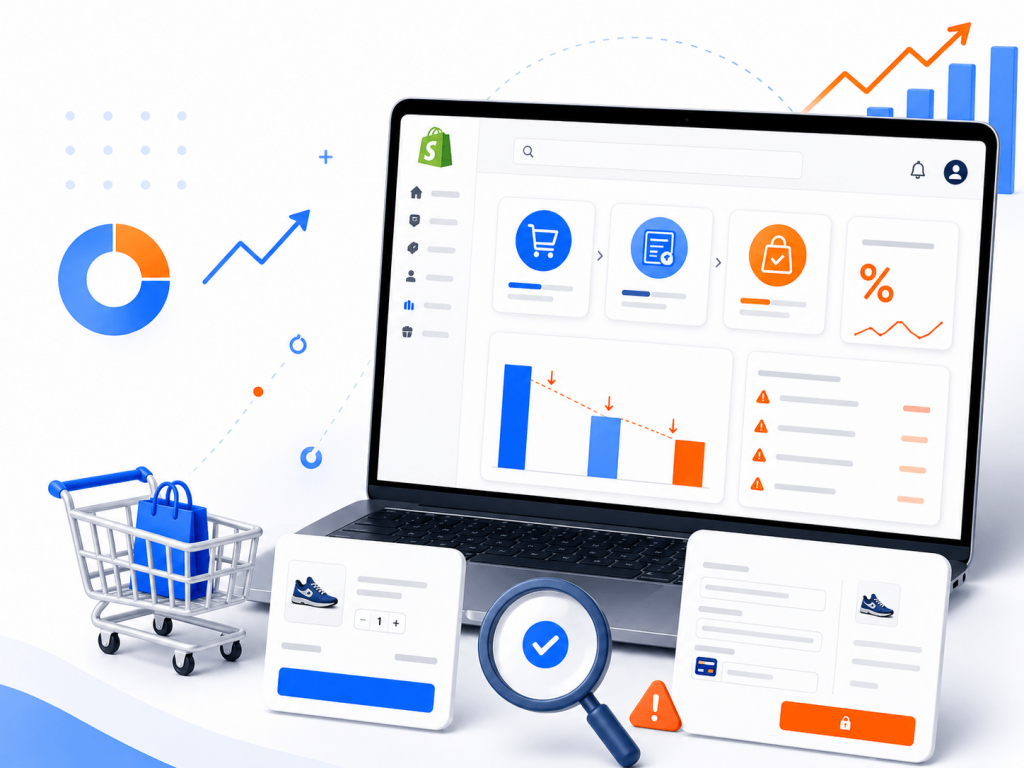
Sometimes customers like the product enough to add it to cart, but they still do not complete the order.
This usually means they hesitated later in the buying process.
Possible reasons include:
- Shipping cost was higher than expected
- Delivery date was unclear
- Discount code did not work
- Checkout felt confusing
- Payment options were limited
- The customer wanted to compare prices
- The store did not feel trustworthy enough
Shopify includes abandoned checkout tools and reporting. According to Shopify, abandoned checkout reports can show sessions, completed orders, conversion rates, total sales, average order value, and other details connected to abandoned checkout reminder emails.
If many visitors reach checkout but do not complete their purchase, review your shipping, delivery, payment, and trust information.
5. Compare Mobile and Desktop Performance
Many Shopify stores receive most of their traffic from mobile devices.
That does not mean the mobile experience is always good.
A store may look beautiful on desktop but feel frustrating on a phone. Small text, oversized images, slow loading, hard-to-click buttons, or confusing menus can all hurt sales.
When reviewing your Shopify Analytics, compare how users behave across devices when possible.
Ask:
- Are mobile visitors converting lower than desktop visitors?
- Is the add-to-cart button easy to see on mobile?
- Are product images loading quickly?
- Is the checkout process smooth on a phone?
- Are popups or banners blocking important buttons?
If mobile traffic is high but mobile sales are low, the mobile layout should be one of the first things to check.
6. Look at Average Order Value
Average order value shows how much customers spend per order.
If your store is getting sales but the order value is low, the issue may not be traffic or checkout. The issue may be missed opportunities.
You may need:
- Better product recommendations
- Gift bundles
- Upsells
- Free shipping threshold
- Related products
- Stronger collection pages
- More visible bestsellers
For example, if customers often buy one item, you can suggest matching products or create bundles that make sense.
Shopify Analytics can help you see whether customers are buying small, one-time items or building larger orders.
7. Do Not Look at One Number Alone
One of the biggest mistakes store owners make is looking at one number and jumping to conclusions.
For example:
High traffic + low sales does not automatically mean the website is broken.
Low traffic + no sales may simply mean not enough people are visiting yet.
Add-to-cart activity + no orders may point to shipping, checkout, or trust issues.
Good sales + low average order value may point to upsell or product bundling opportunities.
The goal is to connect the numbers together.
Simple Shopify Analytics Checklist
Here is a practical checklist you can review every week:
| Area | What to Check | What It May Tell You |
|---|---|---|
| Traffic | Sessions and traffic sources | Are enough people visiting? |
| Conversion rate | Store conversion over time | Are visitors turning into buyers? |
| Top products | Product views and sales | Which products attract interest? |
| Cart behaviour | Add-to-cart and checkout activity | Where customers may hesitate |
| Abandoned checkouts | Customers who did not finish buying | Possible shipping, price, or trust issues |
| Device type | Mobile vs desktop behaviour | Whether mobile experience needs improvement |
| Average order value | Revenue per order | Whether upsells or bundles may help |
What to Do After You Find the Problem
Once you identify the weak point, take action.
Work on SEO, Google Ads, social media, or email marketing if your traffic is low.
When traffic is good, but product views are low, improve your homepage, navigation, and collection pages.
Your product views are high, but sales are low. Improve product photos, descriptions, pricing clarity, and trust signals.
If customers add to cart but do not buy, review shipping costs, checkout flow, delivery details, payment options, and abandoned checkout emails.
If mobile traffic is high but sales are low, improve the mobile layout and loading speed.
Final Thoughts
Shopify Analytics does not just show numbers. It can show where customers are getting stuck.
Instead of guessing why your store is not getting sales, use your data to ask better questions:
Where are visitors coming from?
Which products are they viewing?
Are they adding items to cart?
Are they reaching checkout?
Where do they stop?
Once you understand the problem, it becomes much easier to improve the store.
At 24Web, I help small business owners review Shopify stores, fix website issues, improve product pages, check tracking, and make practical changes that can help turn more visitors into customers.