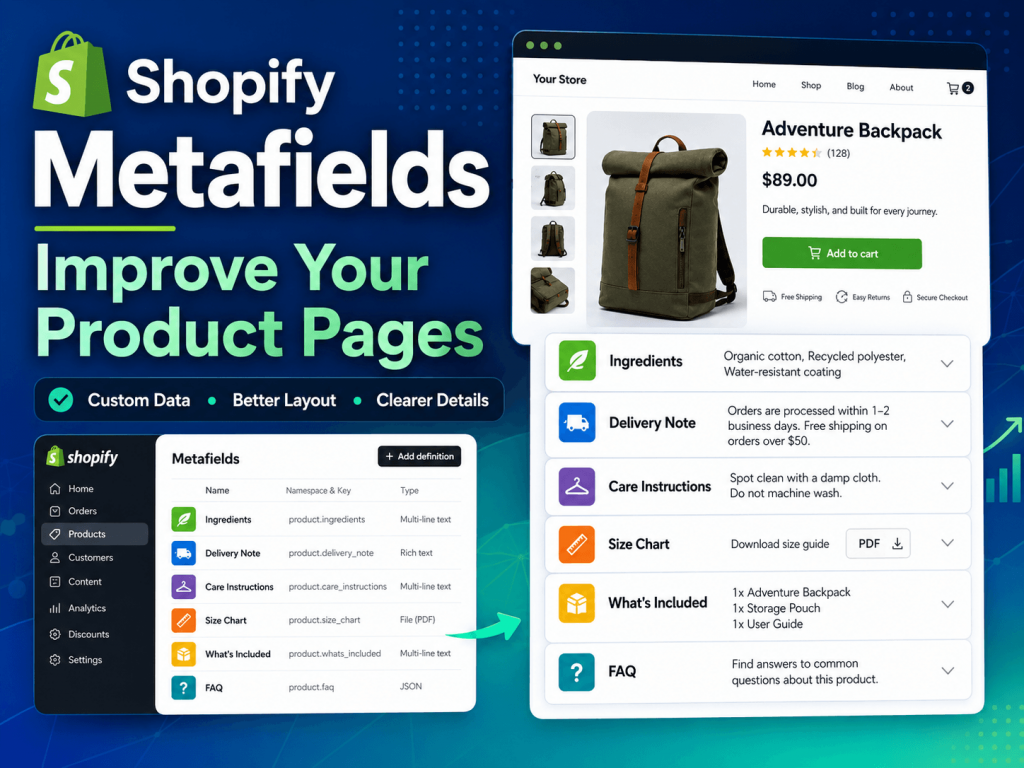
If you run a Shopify store, your product pages are one of the most important parts of your website. This is where customers decide whether they understand your product, trust your store, and feel ready to buy.
But sometimes the standard Shopify product fields are not enough.
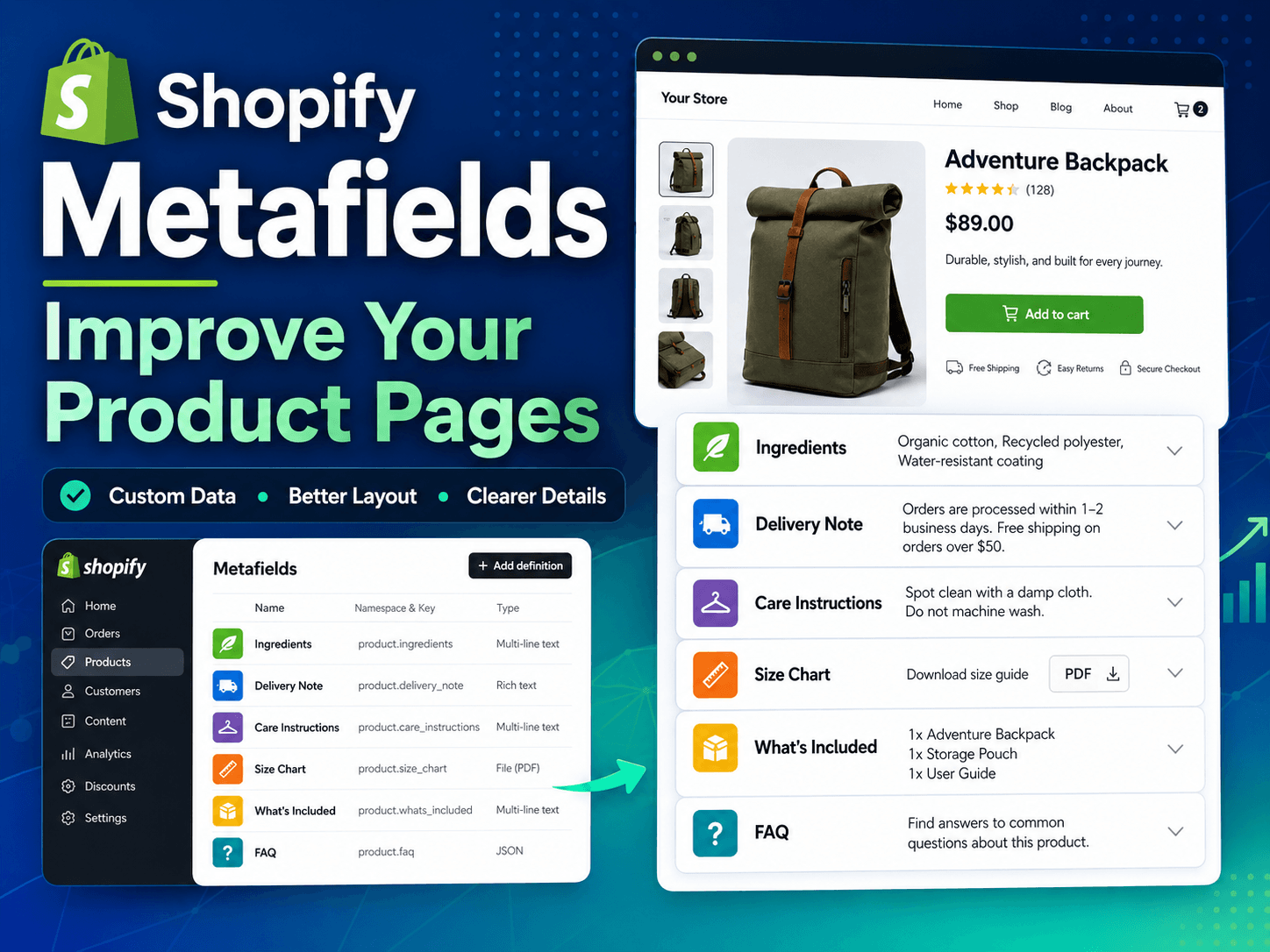
You may need to show delivery notes, ingredients, product dimensions, care instructions, basket contents, flower arrangement details, warranty information, size charts, downloadable files, or special instructions. Putting all of this into one long product description can make the page messy and difficult to read.
This is where Shopify metafields become very useful.
In simple words, Shopify metafields let you add extra custom information to products, collections, customers, orders, and other parts of your Shopify store. For small business owners, metafields can help make product pages cleaner, more organized, and easier to manage.
Need help organizing Shopify product pages? I’m a Montreal-based, remote-friendly independent webmaster. I can help plan metafields, clean up product descriptions, and make Shopify product pages easier to manage.
What Is a Shopify Metafield?
A Shopify metafield is a custom field that stores extra information that does not fit into Shopify’s standard product fields.
Normally, a Shopify product includes basic information such as:
- Product title
- Description
- Price
- Images
- Variants
- SKU
- Inventory
- Vendor
- Product type
But what if you also need to show:
- Product dimensions
- Ingredients
- Delivery area
- Preparation time
- Care instructions
- What is included in the box
- Allergy information
- Product highlights
- Extra notes for local delivery
- Downloadable PDF instructions
- Warranty information
Instead of placing everything inside the main product description, you can create separate metafields and display them in specific parts of the product page.
For example, Shopify’s own help documentation explains that metafields can be used to store specialized information such as care instructions, dimensions, ingredients, related products, files, and other custom product details.
Read Shopify’s official guide to metafields
Why Metafields Are Useful for Product Pages
The biggest advantage of metafields is that they help separate content into clean, reusable sections.
Instead of having one long block of text, your product page can have organized sections such as:
- Product Details
- Delivery Information
- What’s Included
- Care Instructions
- Frequently Asked Questions
- Important Notes
This makes the page easier for customers to scan.
It also makes the Shopify admin easier to manage. A store owner or staff member can update a specific field without editing the full product description or touching the product page design.
For example, if a product has a “Delivery Note” metafield, the store owner can update only that field. The product page layout stays the same.
A Simple Shopify Metafield Example
Here is a simple way to think about metafields on a real product page:
| Product detail | Metafield type | Where it can appear |
|---|---|---|
| Delivery note | Single line or rich text | Product information section |
| Basket contents | List or rich text | What’s included section |
| Care instructions | Rich text | Accordion or details tab |
| Size chart | File or page reference | Link near product options |
| Best occasion | Single line text | Product highlights or filters |
This kind of structure gives customers quick answers and makes the Shopify admin easier to maintain.
Example 1: Gift Basket Stores
For a gift basket store, metafields can be extremely helpful.
A product page might need to show:
- Basket contents
- Delivery availability
- Same-day delivery note
- Substitution note
- Corporate gifting suitability
- Occasion type
- Allergy or ingredient information
- Canada-wide shipping availability
- Montreal-only delivery notes
For example, a gift basket product may need a clean section for what is included, another section for delivery information, and another one for substitution notes. If all of that information is placed inside one long product description, the page can become difficult to read.
With metafields, that same information can be organized into structured sections.
For a store like Carolyn’s Gift Creations, metafields can help keep product pages consistent across many gift basket collections.
A possible metafield setup for a gift basket store could include:
- Basket Contents: A list of items included in the basket
- Delivery Note: Same-day delivery details or cutoff time
- Shipping Area: Montreal only, local delivery, or Canada-wide shipping
- Occasion: Birthday, sympathy, corporate, baby, thank you, holiday
- Substitution Note: Some items may be replaced with equal or greater value products
This keeps product pages more consistent and easier to update.
Example 2: Florist and Flower Delivery Stores
Metafields are also useful for florist websites.
A flower arrangement product may need information such as:
- Flower types
- Colour options
- Arrangement style
- Occasion
- Pickup availability
- Local delivery area
- Special care notes
- Sympathy or funeral delivery notes
- Seasonal availability
For example, a florist product page may have a beautiful emotional product description, but customers may also need practical details before buying.
Instead of writing everything in one paragraph, the page could show:
- Best For: Sympathy, birthday, thank you, everyday gifting
- Flower Style: Roses, lilies, orchids, greenery
- Delivery: Local delivery available
- Pickup: Usually ready within a specific preparation time
- Care Note: Keep flowers in fresh water and away from direct heat
For a florist website like La Quenouille Flowers & Gifts, metafields can help organize important product information while keeping the design clean and easy to read.
Example 3: Shopify Stores With Many Similar Products
Metafields become even more valuable when your store has many similar products.
For example, if a store has many gift baskets, many products may need the same types of information:
- Delivery note
- Basket contents
- Occasion
- Shipping area
- Substitution policy
Without metafields, updating product information can become messy. Some products may have delivery notes in the description, others may have them lower on the page, and others may miss them completely.
With metafields, the structure becomes more consistent.
This helps with:
- Product page clarity
- Customer trust
- Faster product updates
- Easier staff training
- Better long-term website maintenance
Metafields Can Improve Customer Experience
Customers do not always read every word on a product page. They scan.
They want quick answers:
- Is this product available in my area?
- What is included?
- Is same-day delivery available?
- Is this suitable for a corporate gift?
- Can I send this to a hospital?
- Is this flower arrangement appropriate for sympathy?
- Are there substitutions?
- What size is it?
- How do I care for it?
Metafields help store owners answer these questions in clearly labelled sections.
This can reduce confusion before checkout and may reduce support questions from customers. A cleaner product page can also make the store feel more professional.
Metafields Can Help With SEO
Metafields are not a magic SEO button, but they can support better content structure.
When important product details are displayed clearly on the page, customers and search engines can better understand what the product is about.
For SEO, metafields can be useful for:
- Adding unique product details
- Avoiding duplicate-looking product pages
- Supporting better product descriptions
- Displaying FAQ sections
- Showing structured delivery or product information
- Improving internal page clarity
For example, a florist product page with a metafield for “Best Occasion” can better explain whether the product is suitable for sympathy, birthday, anniversary, or everyday gifting.
A gift basket product page with a metafield for “Shipping Area” can clearly explain whether the product is available for local delivery only or can be shipped across Canada.
This is helpful for both users and search visibility.
Metafields vs Metaobjects: What Is the Difference?
Metafields and metaobjects are related, but they are not exactly the same.
A metafield is usually best for adding one specific piece of custom information to a product, collection, or another Shopify resource.
A metaobject is better when you need a reusable content structure with multiple fields.
For example, you may use a metafield for a delivery note, but a metaobject for a reusable product highlight block that includes an icon, title, and description.
Read Shopify’s official guide to metaobjects
Use a metafield for:
- Delivery note
- Product dimensions
- Ingredients
- Care instructions
- Basket contents
- Pickup availability
Use a metaobject for:
- Reusable product highlights
- Brand profiles
- FAQ blocks
- Ingredient cards
- Team member profiles
- Reusable promotional blocks
For most small business Shopify stores, metafields are often the best place to start.
Common Metafield Ideas for Shopify Product Pages
For Gift Basket Stores
- What’s included
- Delivery area
- Same-day delivery cutoff
- Corporate gifting note
- Occasion type
- Substitution policy
- Alcohol-free note
- Dietary note
- Custom basket availability
For Florists
- Flower types
- Colour palette
- Arrangement size
- Best occasion
- Pickup availability
- Local delivery area
- Care instructions
- Seasonal availability
- Sympathy delivery notes
For Clothing Stores
- Fabric
- Fit
- Size chart
- Care instructions
- Model size
- Material origin
- Style notes
For Furniture Stores
- Dimensions
- Materials
- Assembly required
- Weight
- Delivery note
- Warranty
- Care instructions
For Beauty Stores
- Ingredients
- Skin type
- How to use
- Warnings
- Product size
- Routine step
- Cruelty-free or vegan notes
When Should You Use Shopify Metafields?
You should consider metafields when your product pages feel too crowded or inconsistent.
Good signs that you need metafields:
- Your descriptions are too long
- Important details are hard to find
- Similar products use different layouts
- You repeat the same type of information across many products
- Staff members are unsure where to update product details
- You want cleaner product sections
- You want better product page design without creating a separate template for every item
Metafields are especially useful when your Shopify store is growing and you want a more organized content structure.
Do You Need a Developer to Use Metafields?
Not always.
Shopify allows store owners to create and manage metafields from the Shopify admin. Many modern Shopify themes also let you connect metafields directly to sections in the theme editor.
However, you may need help if you want to:
- Create a custom product page layout
- Display metafields in a specific design
- Add conditional sections
- Hide empty metafield blocks
- Build FAQ sections
- Add custom Liquid code
- Connect metafields to collection pages
- Clean up old product descriptions
- Use metaobjects properly
This is where professional Shopify support can save time and prevent mistakes.
As an independent webmaster at 24Web, I help small business owners with website support, troubleshooting, layout improvements, content updates, technical SEO fixes, and Shopify-related updates.
Final Thoughts
Shopify metafields are one of the most useful tools for improving product pages.
They help you organize product information, create cleaner layouts, improve customer experience, and make your store easier to manage.
For small business owners, metafields can turn a basic Shopify product page into a more helpful and professional page without overcomplicating the shopping experience.
Whether you sell gift baskets, flowers, clothing, furniture, beauty products, or custom items, metafields can help your customers find the information they need faster.
And when customers understand your products better, they are more likely to trust your store and complete their purchase.
Need Help With Shopify Metafields?
If your Shopify product pages feel messy, repetitive, or hard to manage, I can help you plan and organize a better structure.
From metafields and product page sections to layout fixes and technical cleanup, I provide practical Shopify and website support for small business owners.
Need help improving your Shopify product pages?