
Your website is online.
It loads.
Customers can find your phone number.
So why would it need maintenance?
This is a question many small business owners understandably ask. Unlike a broken computer or a leaking faucet, website problems are often invisible until something actually stops working.
But websites are not static brochures anymore. They depend on software, hosting, plugins, forms, analytics, search engines, security systems, third-party services, and constantly changing web standards.
That means simply launching a website and leaving it untouched for several years can eventually create problems with performance, security, SEO, and customer experience.
Website maintenance is about preventing those problems before they become expensive ones.

What Is Website Maintenance?
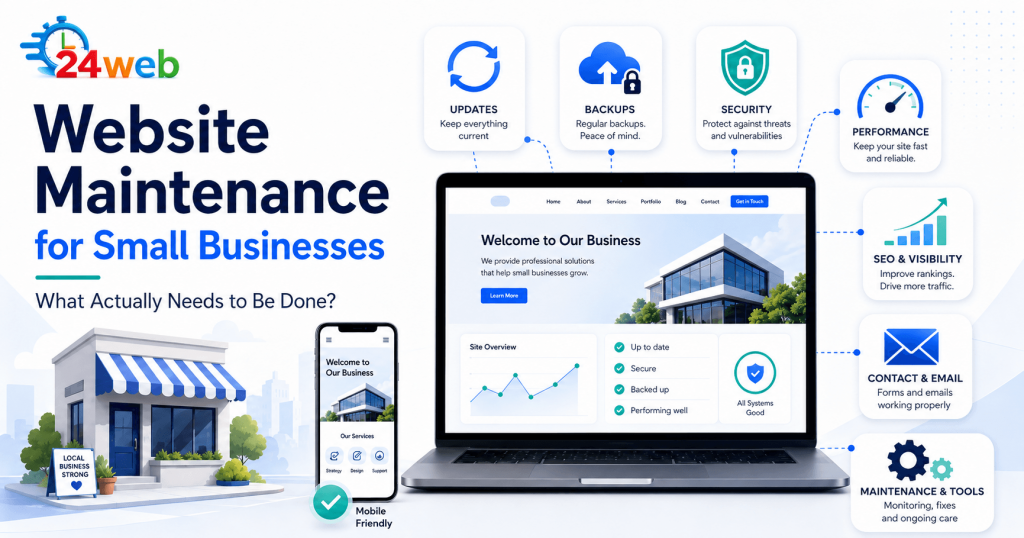
Website maintenance is the ongoing process of checking, updating, protecting, and improving a website after it has been launched. Depending on the website, maintenance may include:- Software and plugin updates
- Security monitoring
- Website backups
- Performance checks
- Broken link detection
- Contact form testing
- Mobile compatibility checks
- Content updates
- SEO monitoring
- Analytics verification
- Image optimization
- Technical troubleshooting
1. Software, Theme and Plugin Updates
Websites built with content management systems such as WordPress depend on several different pieces of software working together. WordPress itself receives updates. Themes receive updates. Plugins receive updates. Hosting environments also change. Most updates improve security, compatibility, performance, or functionality. The problem is that blindly clicking Update All is not always the best approach. Occasionally, an update can conflict with another plugin, theme, custom feature, or newer version of PHP. A proper maintenance process normally includes checking the website before and after major updates and making sure important functionality still works.2. Website Backups
Backups are one of those things nobody thinks about until something goes wrong. A website can be damaged by:- A failed update
- Malware
- Human error
- Hosting problems
- Accidental file deletion
- Database corruption
- Plugin conflicts
3. Security Monitoring
Small business websites are frequent targets of automated attacks. Attackers are not necessarily targeting your company personally. Automated bots constantly scan the internet looking for outdated software, weak passwords, vulnerable plugins, exposed login pages, and other opportunities. Website security maintenance may include:- Keeping software updated
- Monitoring suspicious login attempts
- Removing unused plugins and accounts
- Checking SSL certificates
- Reviewing administrator access
- Scanning for malware
- Using strong passwords and two-factor authentication
- Monitoring unusual website behaviour
4. Website Speed and Performance
Websites often become slower over time. New images are uploaded. Plugins are installed. Scripts are added. Tracking tools accumulate. Database information grows. Eventually, a website that originally loaded quickly may feel noticeably slower. Performance maintenance can include:- Compressing large images
- Removing unnecessary plugins
- Cleaning unused files
- Reviewing caching
- Checking server performance
- Reducing unnecessary scripts
- Optimizing database content
- Monitoring Core Web Vitals
5. Contact Forms Need to Be Tested
This is one of the easiest website problems to overlook. Your contact form can appear perfectly normal while messages quietly stop reaching your inbox. The reason could be:- A mail server configuration problem
- A plugin update
- Spam filtering
- An expired integration
- A broken SMTP configuration
- A form error
- Changes made by the hosting provider
6. Broken Links and Missing Pages
Websites naturally accumulate broken links. You may delete an old service page. A supplier may change its website. A blog article might move. A social media link may change. A product or external resource may disappear. When visitors repeatedly encounter 404 pages or broken links, the website begins to feel neglected. Broken internal links can also make it harder for search engines to understand and crawl the site’s structure. Regular checks help identify these problems before they accumulate.7. Content Should Stay Current
Website maintenance is not only technical. Your website also represents your business. If the site still shows outdated services, old prices, incorrect opening hours, former employees, expired promotions, or information from several years ago, customers may question whether the business is still active. Small updates can make a significant difference. Examples include:- Updating service descriptions
- Adding recent projects
- Updating staff information
- Replacing outdated images
- Refreshing frequently asked questions
- Updating business hours
- Removing expired promotions
- Improving old blog content
8. SEO Needs Maintenance Too
SEO is not something that is completed once and then permanently finished. Search results change constantly. Competitors update their websites. New pages appear. Old backlinks disappear. Search behaviour evolves. Google changes how results are presented, and AI-powered search is also changing the way information from business websites is discovered and summarized. If you want a practical starting point, the AI Search Checklist for Small Businesses explains what small businesses can review as search changes. Ongoing SEO maintenance can include:- Monitoring Google Search Console
- Checking indexing problems
- Reviewing organic search performance
- Improving old pages
- Updating titles and meta descriptions
- Fixing technical SEO issues
- Improving internal links
- Adding useful new content
- Monitoring important search queries
9. Analytics and Tracking Should Be Checked
Many businesses assume their analytics are working simply because they were installed when the website was created. But tracking can break. Website redesigns, cookie tools, plugin changes, theme updates, Google Tag Manager changes, or account configuration problems can interrupt data collection. Periodically checking Google Analytics and Google Search Console helps confirm that useful data is still being collected. Without reliable data, it becomes much harder to understand whether the website is actually helping the business.10. Mobile Compatibility Matters
A website may look excellent on a desktop computer but behave very differently on a phone. Buttons may become difficult to tap. Text can overlap. Forms may become awkward to complete. Images may be cropped incorrectly. Menus may stop functioning properly. Because many customers now discover businesses from mobile devices, mobile testing should be part of routine website maintenance. Important pages should periodically be checked on different screen sizes, especially after major updates or design changes.How Often Should a Small Business Website Be Maintained?
There is no universal schedule. A relatively simple business website may only require a few hours of attention each month. A frequently updated website or online store may need monitoring every week. Some tasks should happen automatically, such as backups and security monitoring, while others require manual review. A practical maintenance schedule might include:Weekly
Check backups, security alerts, forms, and major website functionality.Monthly
Review updates, performance, broken links, Search Console, analytics, and important pages.Quarterly
Review website content, SEO performance, outdated information, technical improvements, and opportunities for optimization. The important part is consistency.Can I Maintain My Website Myself?
Absolutely. Many small business owners successfully handle basic website updates themselves. If you are comfortable with your website platform, understand backups, know how to troubleshoot plugin conflicts, and have time to monitor the site regularly, maintaining it yourself may be completely reasonable. The challenge is usually not whether it is possible. The challenge is whether it actually gets done. Business owners are busy running their businesses, so website maintenance often gets postponed until something breaks. That is where ongoing website support can be valuable. Instead of reacting to emergencies, someone regularly checks the website, identifies problems, performs updates, and handles improvements as they arise.Website Maintenance vs. Emergency Website Repairs
There is an important difference between maintaining a website and repairing one after something has already gone wrong. Maintenance is preventative. Emergency repair is reactive. Fixing a hacked website, recovering lost files, repairing a broken checkout, or troubleshooting a failed update can take significantly more time than preventing the problem in the first place. Regular maintenance does not guarantee that a website will never experience a problem. But it significantly reduces unnecessary risk and makes problems easier to identify and resolve. If you are deciding between regular help and occasional repairs, this guide on website support vs. one-time website fixes may help clarify the difference.Does Your Small Business Website Need Maintenance?
If your website has not been reviewed in several months, it is worth checking. Ask yourself:- When was the last full backup?
- Are all plugins and software current?
- Does the contact form actually send messages?
- Is the website fast on mobile?
- Are there broken links?
- Is the SSL certificate working correctly?
- Is Google indexing the important pages?
- Is your business information still accurate?
- Are analytics collecting data?
- Has anyone reviewed website security recently?