If you run a small business, your website isn’t a “project.” It’s infrastructure, like your phone line, your POS system, or your storefront sign. When it breaks, slows down, or stops generating leads, you feel it immediately.
In 2026, a webmaster is the person who keeps that infrastructure healthy: fast, secure, updated, and converting, without the overhead (or complexity) of an agency.
This article breaks down what a webmaster actually does today, what you should expect to pay for, and how it saves you time and money.
The modern definition of a webmaster (2026 version)
A webmaster is a single point of contact who handles the ongoing care of a website:
- Prevents common issues (updates, backups, monitoring)
- Fixes problems quickly (layouts, forms, plugin conflicts, broken pages)
- Improves performance (speed, Core Web Vitals, mobile usability)
- Keeps basics of SEO and tracking healthy (indexing, redirects, analytics)
You can think of it like a mechanic + caretaker for your site – someone you call before small issues become expensive emergencies.

What a webmaster does (day-to-day work that matters)
1) Maintenance that prevents breakdowns
This is the unglamorous stuff that saves you the most money long-term:
- Updating WordPress/core/plugins/themes (or Shopify app/theme checks)
- Checking for conflicts after updates
- Backups (automated + a “restore” plan that actually works)
- Security scans and uptime monitoring
- Cleaning up errors, warnings, and small issues before they snowball
Why it saves you money: fewer “site is down” emergencies and fewer hours wasted troubleshooting.
2) Fixes & improvements (the things owners notice)
Small business sites constantly need little adjustments:
- Broken layouts (especially on mobile)
- Buttons not clickable / spacing issues
- Forms not sending
- Page builder glitches
- Menu problems, header/footer fixes
- Small content updates that you don’t want to struggle with
Why it saves you money: you get fixes fast, without paying “project minimums” or waiting 2–3 weeks.
3) Speed & performance (because slow sites lose leads)
In 2026, speed is not optional.
A webmaster typically handles:
- Core Web Vitals improvements
- Image compression and sizing
- Caching setup (and not breaking the site)
- Reducing plugin bloat
- Fixing “slow page” issues caused by scripts, fonts, sliders, etc.
Why it saves you money: faster sites convert better, rank better, and reduce paid ads waste.
4) Security and risk reduction (simple, practical)
Security doesn’t have to be scary, but it needs basics:
- Strong admin protection (2FA, logins, roles)
- Removing risky plugins/themes
- Firewall/WAF configuration (when needed)
- Backup verification + restore testing
- Monitoring for suspicious activity
Why it saves you money: preventing one hack is cheaper than cleanup + downtime + reputation damage.
5) Technical SEO basics (not “agency SEO,” just essentials)
A webmaster isn’t necessarily doing full content SEO strategy—but they keep the foundation solid:
- Fixing indexing issues
- Resolving 404s and redirect problems
- Canonical/duplicate page issues (common with multilingual sites)
- Sitemap + robots.txt checks
- Basic on-page technical cleanup
Why it saves you money: your content and services pages can actually show up in Google.
6) Tracking & analytics sanity (so you know what’s working)
Small business sites often have messy tracking:
- Duplicate tags
- Misconfigured GA4
- No conversion tracking
- Spam traffic inflating numbers
A webmaster helps ensure:
- GA4 installed once (properly)
- Key actions tracked (forms, calls, bookings)
- Search Console connected
- Basic reporting is reliable
Why it saves you money: you stop guessing and can make better decisions with fewer tools.
7) Advice and “next steps” (the underrated part)
A good webmaster will also tell you:
- What to fix first (priorities)
- What not to waste money on
- When your site needs a redesign vs small tweaks
- When Shopify is a better fit than WordPress (or vice versa)
Why it saves you money: you avoid expensive “wrong direction” work.
What a webmaster is NOT (so expectations are clear)
A webmaster is usually not:
- A full-time content writer
- A full agency SEO team
- A brand strategist + designer on retainer
- A paid ads manager
But a webmaster can coordinate the basics, fix the foundations, and recommend the right specialists when needed.
Real examples: how this saves small businesses time + money
Example 1: The form stopped working
Owner lost 2–3 leads per week without knowing.
Webmaster:
- fixes deliverability (SMTP)
- adds stored entries
- sets conversion tracking
Result: leads return + fewer missed opportunities.
Example 2: The site is “fine,” but it’s slow
Owner runs ads, but conversions are weak.
Webmaster:
- improves mobile performance
- reduces heavy scripts
- fixes Core Web Vitals
Result: better conversion rate, lower cost per lead.
Example 3: Google isn’t indexing service pages
Owner thinks “SEO doesn’t work.”
Webmaster:
- finds technical issue (noindex, canonical, sitemap, redirects)
- fixes foundation
Result: pages start ranking again and traffic becomes consistent.
Do you need a webmaster? Quick self-check
If any of these are true, you’ll benefit:
- You haven’t updated your site in 60+ days
- You’re not 100% sure your forms work
- Your site feels slow on mobile
- You don’t have reliable backups
- You don’t know if Google is indexing your key pages
- You’re spending money on ads but not tracking conversions properly
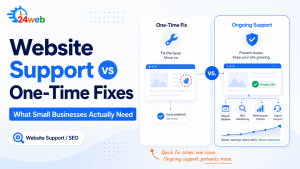
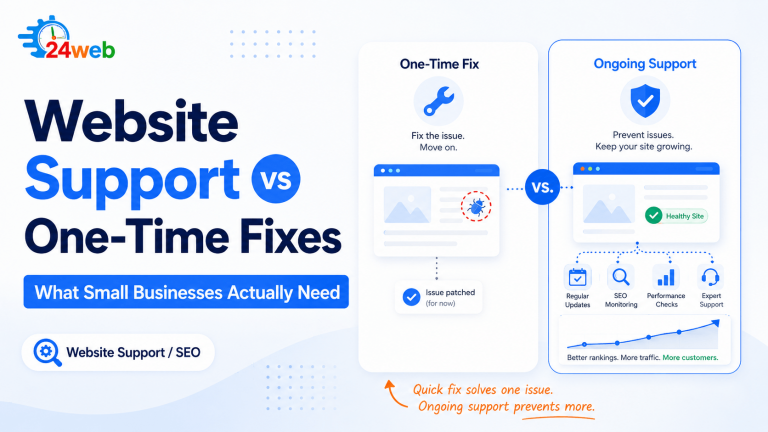
Webmaster vs Agency: why small businesses often prefer a solo webmaster
Small business owners usually want:
- One person who knows the site
- Fast fixes
- Clear communication
- No “project minimums”
- Practical recommendations
That’s the value of a modern webmaster: less overhead, more action.
What to ask before hiring a webmaster
Here are smart questions:
- How do you handle backups and restores?
- Do you test updates on staging or do safe update steps?
- How do you track form submissions and calls?
- What’s your response time for urgent issues?
- What’s included monthly—and what’s extra?
- Will you proactively monitor uptime/security?
A simple way to start (without committing to a big package)
If you’re not sure what you need, start with:
- A quick website health check (speed + security + forms + indexing)
- A prioritized action list
- Then either: monthly maintenance or on-demand support
That’s usually the fastest path to stability.
Need a simple “webmaster setup” for your site?
If you want, tell me:
- WordPress or Shopify (or other)
- Your main goal (calls, bookings, online sales)
- Your city (for local SEO focus)
…and I’ll suggest the best “webmaster baseline” checklist (maintenance + fixes + tracking) tailored for your business.